STUUBZZZ
MiniMax H3 on 8 GB VRAM: what an RTX 3060 Ti with 16 GB of RAM really takes
 Watch the video · I Ran MiniMax H3 on an 8 GB GPU, Here’s What It Takes
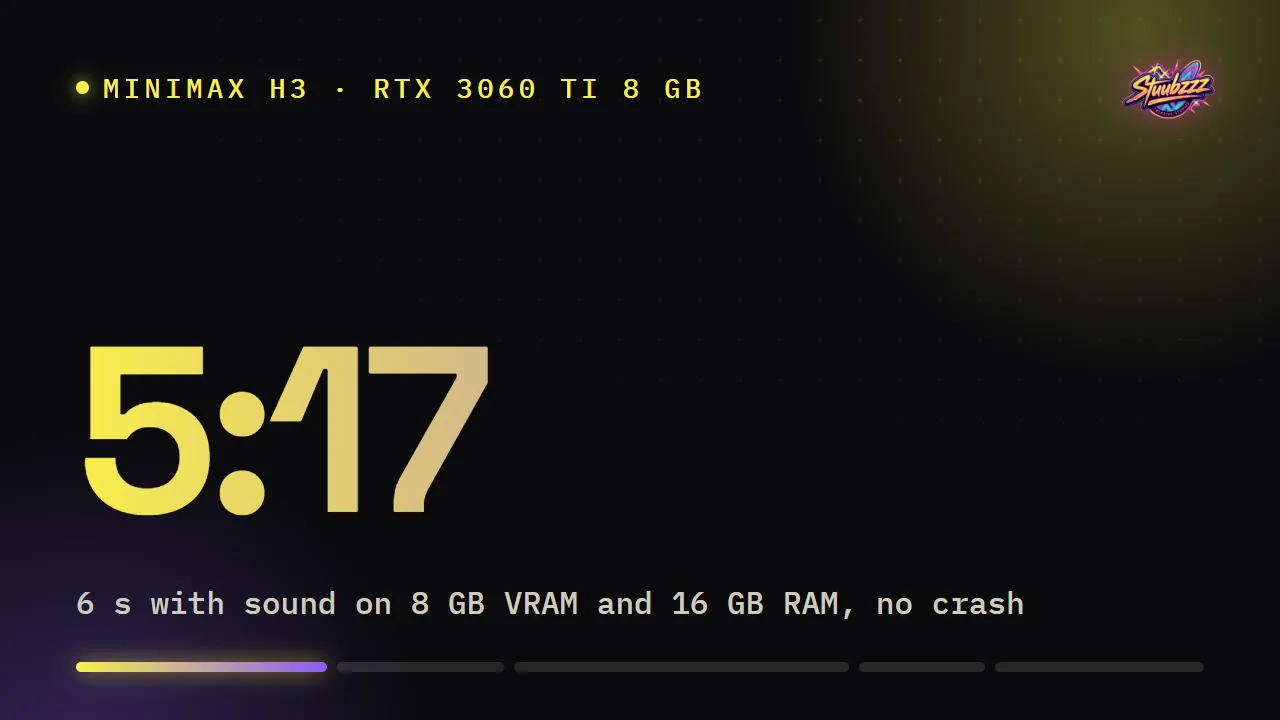
Yes, MiniMax H3 runs on an 8 GB card. On an RTX 3060 Ti with only 16 GB of RAM and pinned memory off, a 6-second clip with sound in Hybrid mode (960×544) took 5:17 in ComfyUI, with no crash and no out-of-memory error. Every job I ran finished except the DLSS 5 finish.
- MiniMax H3 int8 rendered a 6-second clip with sound in 5:17 (Hybrid, 960×544) on an RTX 3060 Ti 8 GB with 16 GB of DDR4 RAM, in ComfyUI on 2026-11-01. The same job took 46 s on a full RTX 5090. One run per job.
- In the 2026-11-01 RTX 3060 Ti test, 17 MiniMax H3 jobs finished on 8 GB of VRAM and 16 GB of RAM with no out-of-memory error; only the DLSS 5 upscale failed, with a swap-chain error; ComfyUI ran over a remote session, a possible cause I didn't test.
- At full size (1344×768) on the 8 GB RTX 3060 Ti, MiniMax H3's PDMD mode took 5:29 per 6-second clip, Hybrid 12:26 and the 20-step Quality mode 23:08 (2026-11-01, one run each).
- With 16 GB of RAM, MiniMax H3 on the RTX 3060 Ti was no faster with pinned memory on, free RAM fell to about 1 GB and the page file grew from 133 MB to 984 MB, so I add ComfyUI's
--disable-pinned-memory. - The 8B and 4B text encoders can't run MiniMax H3 at any VRAM size: they fail in about 4 seconds with a shape error, even with 32 GB free. Only the 32B encoder works (my tests on an RTX 5090, 2026-10-31).
What does MiniMax H3 need, and why is 8 GB a problem?
MiniMax H3 needs about 51 GB of model files at int8 for one render, against 8 GB on the card. ComfyUI keeps on the card what fits and streams the rest in, so on a small PC the real limits are time, RAM and the disk.
MiniMax H3 is MiniMax's video model with sound: from a prompt, a first or last frame, or reference media, it makes the picture and the audio in one pass (model card). The int8 files from Comfy-Org/MiniMax-H3, measured on disk:
- the H3 diffusion model, 21.0 GB;
- the Qwen3-VL 32B text encoder, 27.1 GB;
- the int8 video VAE, 2.8 GB, and the audio VAE, 0.6 GB.
They aren't needed all at once: the text encoder reads the prompt, the model samples, the VAE decodes. With ComfyUI's dynamic VRAM, a job used 29 GB on my full RTX 5090 because it could, and peaked between 6.4 and 7.9 GB on the RTX 3060 Ti.
How did I test MiniMax H3 on an 8 GB GPU?
Twice: first on my RTX 5090 with part of its VRAM blocked, so ComfyUI found only 8, 12, 16 or 24 GB free, then on a real low-end PC with an RTX 3060 Ti. Only the real card gives real times.
The second PC is below what I think most people have: 16 GB of DDR4 at just 2133 MHz, with Chrome open. Every job used the same start frame of an AI-made man in a workshop, the same prompt with a spoken line and the same seed, in the mode presets of my free workflow, Stubelius Ultimate H3. Int8 models only, on purpose.
Tested 2026-11-01 on an RTX 3060 Ti (8 GB, driver 617.42), Ryzen 5 5600X, 16 GB DDR4-2133, Samsung 970 EVO Plus NVMe, Windows 11, pinned memory off unless noted. Capped runs 2026-10-31 on an RTX 5090 (32 GB), 96 GB RAM, Ultimate H3 0.15.1 presets.
How long does MiniMax H3 take on an RTX 3060 Ti?
About five minutes per 6-second clip at 0.5 megapixels: Hybrid took 5:17 on the RTX 3060 Ti, against 46 seconds on a full RTX 5090. On this card at this size, the rule of thumb is one minute of waiting per second of video.
| Job | Size | RTX 3060 Ti | RTX 5090 | Slower by |
|---|---|---|---|---|
| Hybrid + H3 cache | 960×544 | 3:24 | 31 s | 6.6× |
| Speed | 864×480 | 3:27 | 38–48 s | 4.4–5.4× |
| Hybrid + Spectrum | 960×544 | 3:36 | 38 s | 5.7× |
| Reference, 1 image | 960×544 | 5:16 | 56 s | 5.6× |
| Hybrid | 960×544 | 5:17 | 46 s | 6.8× |
| PDMD | 1344×768 | 5:29 | 56 s | 5.9× |
| Omni Reference | 1344×768 | 7:21 | 66 s | 6.7× |
| Hybrid | 1344×768 | 12:26 | 110 s | 6.8× |
| Quality, 20 steps | 1344×768 | 23:08 | 205 s | 6.8× |
PDMD renders the full 1344×768 in 4 steps with its LoRA, in less than half of Hybrid's time at that size (PDMD vs SoL Refiner compares its look).
In a warm 309-second Hybrid run, the text encoder took about 9 s, sampling 278 s (10 steps at 27.8 s each), the video decode 19 s, and sound and saving about 3 s. Sampling is 90% of the wait.
Why did the VRAM-capped RTX 5090 get MiniMax H3's speed wrong?
Because blocking VRAM limits the memory, not the chip. The same Hybrid job took 72 seconds on the RTX 5090 blocked to 8 GB and 5:17 on the real RTX 3060 Ti, more than four times longer.

It was also wrong about full size. Capped at 8 GB, the 5090 took 4.6 times as long at 0.98 megapixels as at 0.5; the RTX 3060 Ti took 2.4 times as long, like the full 5090. My reading, not measured: on a slow chip, computing takes so long that moving weights is a smaller share. The cap's own side effects may also have added to the jump.
It is still good for what fits, and for the picture: every single-chunk job at 8, 12 and 16 GB matched the 32 GB render exactly.
Is 16 GB of RAM enough for MiniMax H3?
Yes, with pinned memory off. On the 16 GB RTX 3060 Ti PC, ComfyUI held 11 to 14.7 GB of RAM, at least 4.3 GB stayed free in every job, and the page file moved by about 30 MB at most.
The catch is the disk. H3's files are far bigger than 16 GB, so parts are read from the NVMe when needed, and this one is fast. I didn't test a SATA SSD or a hard drive and would expect them to be slower.
Pinned memory is on by default and gave no speed here: Hybrid took 320 s cold and 309 s warm, against about 315 s without it. ComfyUI went to 17–18 GB of RAM, free RAM fell to about 1–1.5 GB, and the page file grew from 133 MB to 984 MB. So with 16 GB, add --disable-pinned-memory to the launch line. With lots of RAM it can pay: on my 96 GB PC, with the 5090 capped at 8 GB, it took Hybrid to 74 s cold and 57 s warm.
One flag you don't need is --lowvram: ComfyUI's own --help says it is ignored while dynamic VRAM is on.
Which MiniMax H3 speed options help on an 8 GB card?
The H3 cache and Spectrum. On the RTX 3060 Ti, the H3 cache cut the same Hybrid job from 5:17 to 3:24 (35% off) and Spectrum to 3:36 (32% off). Low VRAM attention with chunked feed-forward gave nothing: 322 s and the identical picture.
| Option | Time | Saved | PSNR, average / minimum |
|---|---|---|---|
| Plain Hybrid | 315–317 s | – | – |
| H3 cache | 204 s | 35% | 37.6 / 32.7 dB |
| Spectrum | 216 s | 32% | 35.2 / 28.2 dB |
| Low VRAM attention + chunked feed-forward | 322 s | none | identical |

Both skip work, so the picture changes. In a full-size crop of one frame, they kept the same man and pose with no obvious softening, but his expression and small details differed. One frame isn't a verdict on motion or sound: judge them on your own shots.
The cache comes from PlagueKind's Comfyui-PlagueKind-Nodes, Spectrum from xmarre's ComfyUI-Spectrum-MiniMax-H3. If a custom node pack is missing, the option is skipped with only a log warning; my first cache run matched plain Hybrid exactly for that reason. The low-VRAM switches didn't lower peak VRAM either (6414 MB against 6402 MB).
How do clip length and size change MiniMax H3's time on 8 GB?
Time grows with length and pixels. On the RTX 3060 Ti, Hybrid took 2:39 for 3 seconds, 5:17 for 6 and 9:29 for 10. By size: 2:44 at 0.25 megapixels (672×384), 5:17 at 0.5 and 12:26 at 0.98. Size is the biggest lever.
An 18-second clip in three chunks took 18:32, with more than 5 GB of RAM free at the lowest. It ran without seam smoothing, so expect it a little slower with it (how chunks join: long MiniMax H3 videos). The same seed at another size is not the same video, so a 0.25-megapixel test checks the prompt, not the clip.
Can I use a smaller text encoder for MiniMax H3?
No. The 8B and 4B encoders of the same family fail with MiniMax H3 in about 4 seconds at every VRAM size, 32 GB included, with mat1 and mat2 shapes cannot be multiplied. H3 expects the 5120-wide output of the 32B encoder: a shape mismatch, not a memory limit. The 32B one is busy for only about 9 seconds per render.
Does the DLSS 5 finish work for MiniMax H3 on an RTX 3060 Ti?
Unknown: the 1080p DLSS 5 job failed on the RTX 3060 Ti with CreateSwapChainForHwnd failed 0x887A0022. ComfyUI was started over a remote session with no desktop. That may be the cause, but I didn't test it, so there's no result either way for this card.
On my main PC the 2K finish peaked at about 38 GB of RAM, so on a 16 GB PC I'd run the upscale as a separate job or on a stronger machine. See DLSS 5 vs RTX VSR and Regenerate 2K on MiniMax H3 for the finishes themselves.
Does the same seed give the same MiniMax H3 video on another GPU?
No: the same shot, not the same video. Hybrid on the RTX 3060 Ti scored 41.6 dB against the RTX 5090's clip, Reference mode only 24.8 dB, with the same man and framing but a different background. By the third chunk of the 18-second clip, he turns further toward the window on the 3060 Ti.
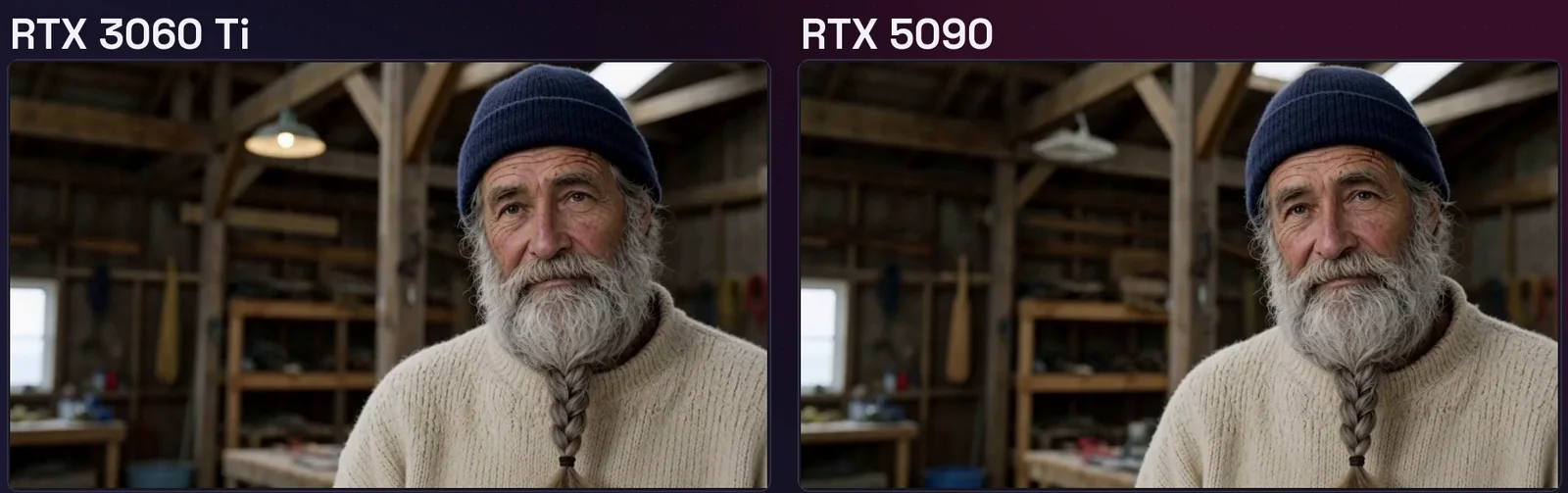
My guess, not measured: different GPUs round slightly differently. A seed from someone's video won't give you their exact clip.
What MiniMax H3 settings should I use on 8, 12, 16 and 24 GB?
On 8 GB with 16 GB of RAM: pinned memory off, the final in Hybrid at 0.5 megapixels, PDMD for full size. Only the 8 GB advice comes from a real card; 12 GB and up come from the capped RTX 5090.
- 8 GB, 16 GB RAM: add
--disable-pinned-memory, test prompts in Hybrid at 0.25 MP with the H3 cache, final in Hybrid at 0.5 MP (about 5 minutes per 6 seconds), PDMD for full size, Quality overnight. - 12 GB: the comfortable floor on the capped 5090: Quality took 224 s there, against 205 s on the full card and 589 s at 8 GB. Start at Hybrid 0.5 and work up.
- 16 GB: close to the full card in the capped test (Quality 214 s). Quality is realistic.
- 24 GB and up: use whatever you like.
- Every card: the int8 video VAE and the 32B text encoder.
The workflow switches here are in the Setup window of Stubelius Ultimate H3, now at 0.16.2 on GitHub main. Model folders, steps and seeds are covered in the free Part 1 of ComfyUI From Zero, and other models per card size in AI at every VRAM size.
Test setup and limits
- One RTX 3060 Ti PC, one seed, one start frame and prompt, one run per job (plain Hybrid twice, 315 and 317 s).
- Memory was read every 2 seconds, so a short peak can be missed; peaks are what a job used, not a minimum. Speed's two 5090 runs differed (38 and 48 s), so its ratio is the weakest.
- The 12, 16 and 24 GB results come from a VRAM-capped RTX 5090 with 96 GB of RAM. Picture checks are PSNR plus my eye on single frames, not motion or sound.
- Not tested: GGUF models, a SATA SSD or hard drive, a first render straight after a reboot, AMD, Apple Silicon, a real 12 or 16 GB card, and the DLSS 5 finish on the 3060 Ti.
Sources and files
- I Ran MiniMax H3 on an 8 GB GPU, Here’s What It Takes, the video: the two PCs at 1:30, every render time at 7:25, 16 GB of RAM at 10:21, the speed switches at 12:46, the text encoder trap at 17:34 and settings per card at 22:18.
- MiniMax: the MiniMax H3 model card and its licence; read it before any commercial use. ComfyUI files: Comfy-Org/MiniMax-H3.
- Stubelius Ultimate H3 on GitHub, and the PDMD LoRA, pdmd2026/pdmd_4NFE_lora.
- On this site: pi-H3 and Spark-H3 against PDMD and the ComfyUI From Zero course.
Common questions
Can MiniMax H3 run on 8 GB of VRAM?
Yes. On an RTX 3060 Ti 8 GB with 16 GB of RAM, every int8 MiniMax H3 job I ran finished without an out-of-memory error, from 3-second clips to an 18-second clip in three chunks. Only the DLSS 5 finish failed; its cause is untested.
Do I need 32 GB of RAM for MiniMax H3 on an 8 GB card?
No. 16 GB was enough on my RTX 3060 Ti PC with --disable-pinned-memory, with at least 4.3 GB free in every job. That PC has a fast NVMe; a SATA SSD or hard drive is untested.
Does MiniMax H3 work with GGUF models on 8 GB?
Untested: this test was int8 only. GGUF files are far smaller than the 21 GB int8 model, so I'd expect less memory pressure, but I have no speed number. Ultimate H3 loads GGUF through ComfyUI-GGUF.
Does less VRAM make MiniMax H3 videos look worse?
No. On one RTX 5090 capped at 8, 12 and 16 GB, every single-chunk MiniMax H3 job matched the 32 GB render exactly. A different GPU, like the RTX 3060 Ti, gives the same shot with different details.
Does MiniMax H3 run on AMD cards?
Unknown: I have no AMD card and didn't test one, or Apple Silicon. ComfyUI's AMD set-up is in my install guide.