STUUBZZZ
AI at every VRAM size, 8 to 32 GB: MiniMax H3, images, voice and chat measured
 Watch the video · I Tested MiniMax H3 on Every VRAM Size From 8GB to 32GB, Plus Images, Voice and Chat in ComfyUI
On my RTX 5090 with its VRAM capped, MiniMax H3, FLUX 3 Klein, Qwen-Image 2.1 Turbo, Anima and VoxCPM2 all ran at 8 GB; H3 took a median 76 s instead of 47 s for a 6-second clip. Chat is different: Qwen3.8-27B wrote 11 tokens/s half in RAM at 8 GB, and 101 tokens/s once it fit at 12 GB.
- MiniMax H3 ran at every VRAM size from 8 to 32 GB on an RTX 5090 capped by a ballast (Stubelius Ultimate H3 0.15.1, 31 October 2026, 6 runs per size): the median for a 6-second clip went from 47 s at 32 GB to 76.2 s at 8 GB, with an identical picture.
- On a real 8 GB RTX 3060 Ti with 16 GB of RAM (November 2026), the same MiniMax H3 clip took 5:17 against 46 s on the RTX 5090, and 2:04 with my 8 GB settings: PDMD, 0.5 MP and the H3 cache.
- FLUX 3 Klein (1.9 s), Qwen-Image 2.1 Turbo (3.6 s) and Anima (4.9 s) each made a roughly 1 MP image on an RTX 5090 capped at 8 GB in my 6 November 2026 test (one warm run per size); from 12 GB up, Qwen took 1.6 to 1.7 s.
- In llama-bench b11900 on an RTX 5090 capped at 8 GB (6 November 2026), Qwen3.8-27B IQ3_XXS wrote 11 tokens/s with 35 of 65 layers on the GPU; capped at 12 GB, fully on the GPU, it wrote 100.8 tokens/s.
- A capped RTX 5090 shows what fits, not a smaller card's speed: the same MiniMax H3 clip took 72 s on the 5090 capped at 8 GB (31 October 2026) and 317 s on a real RTX 3060 Ti (1 November 2026).
What is VRAM, and how do I check how much my GPU has?
VRAM is the memory on your graphics card, where a model has to sit for the GPU to work on it at full speed. On Windows, open Task Manager, go to Performance, click your GPU and read Dedicated GPU memory.
Ignore Shared GPU memory: that is your normal RAM lent to the GPU, and it is much slower.
How did I test 8, 12, 16, 24 and 32 GB on one RTX 5090?
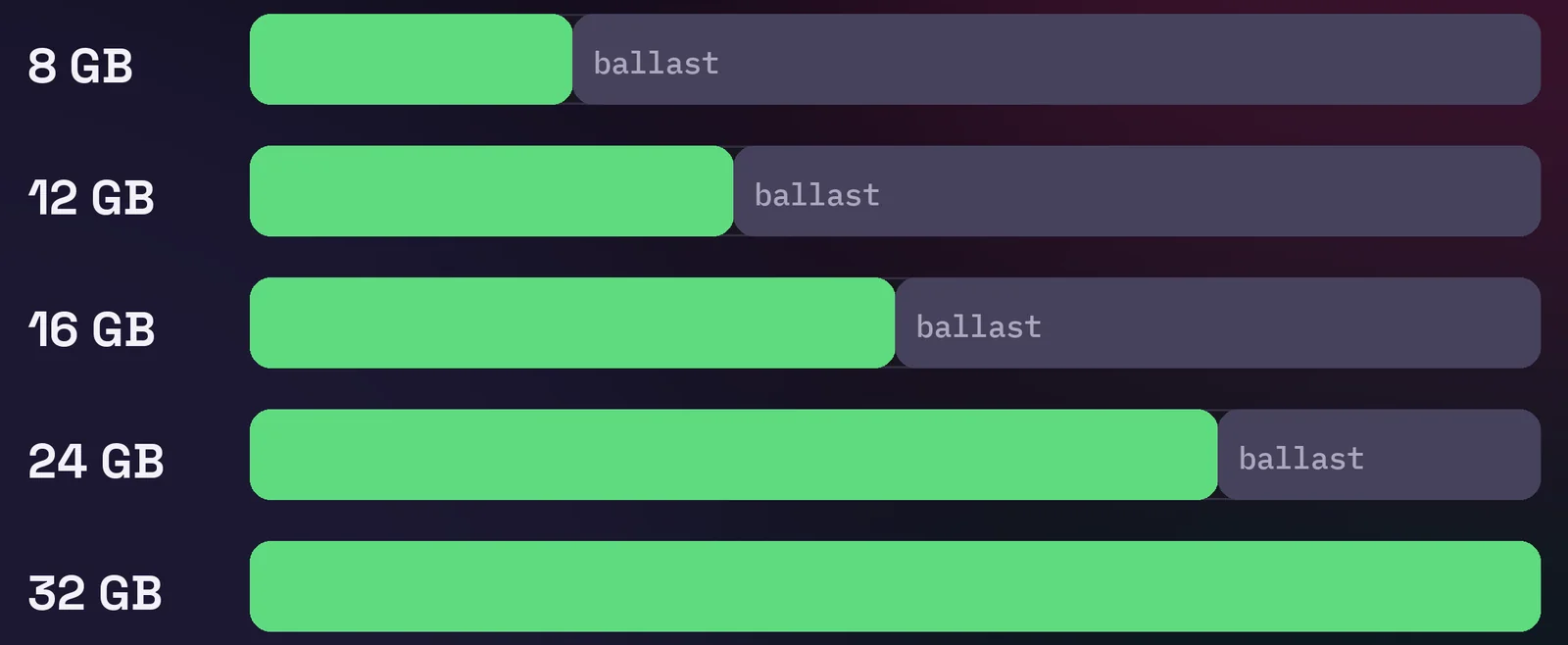
With a ballast: a small program fills part of my 32 GB RTX 5090 before a separate test ComfyUI starts, so the test only finds 8, 12, 16 or 24 GB free, as on a smaller card. For 8 GB I also used a real one, my second PC with an RTX 3060 Ti.
The ballast leaves the card size minus 0.8 GB free, as a real card gives some to the desktop.
The catch: a capped RTX 5090 keeps its fast chip. It shows what fits and whether the picture changes, not a smaller card's speed: a real 12 or 16 GB card is slower, so compare the sizes with each other, not with your own card.
Does MiniMax H3 run on 8 GB of VRAM?
Yes. MiniMax H3, the open video-with-sound model by MiniMax, ran on a real 8 GB RTX 3060 Ti with 16 GB of RAM: a 6-second clip took 5:17 in Hybrid mode, with no out-of-memory error. With my 8 GB settings the same prompt and seed took 2:04.
The workflow is my free Stubelius Ultimate H3. My 8 GB settings are four:
- Lower the size to 0.5 megapixels.
- Switch the mode to PDMD (explained in PDMD vs the SoL Refiner).
- Turn on the H3 cache.
- Use the int8 video VAE.
With only 16 GB of RAM, also start ComfyUI with --disable-pinned-memory. PDMD draws a different take from Hybrid, so 2:04 is the same prompt and seed, not the same pixels. Every mode timed on the real card is in MiniMax H3 on an 8 GB RTX 3060 Ti.
How much slower is MiniMax H3 with less VRAM?
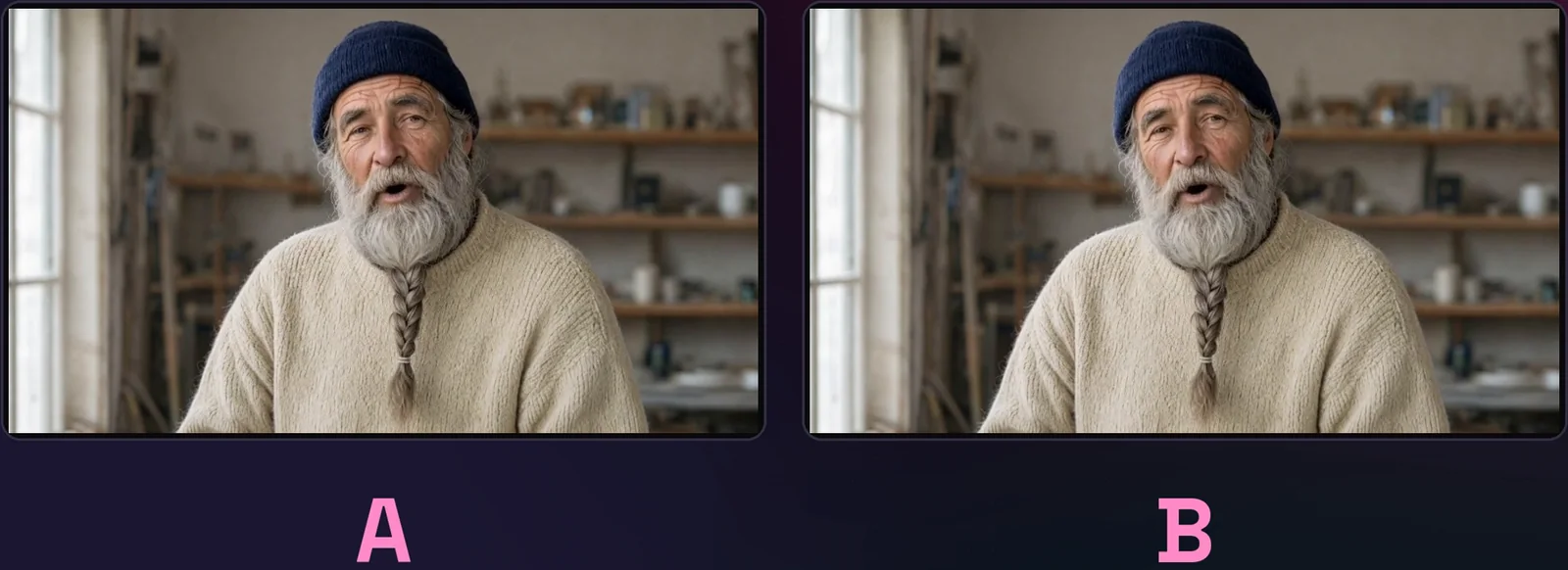
Not much on the same chip: capped at 8 GB, the RTX 5090 took 1.6 times as long as with all 32 GB (median 76.2 s against 47.0 s for a 6-second clip). The RTX 3060 Ti's slower chip cost 6.8 times. The picture was identical at every cap.
| VRAM | Median | vs 32 GB | GPU memory used | Picture vs 32 GB |
|---|---|---|---|---|
| 32 GB | 47.0 s | 1.0× | 27.4 to 29.6 GB | – |
| 24 GB | 53.5 s | 1.14× | 21.6 to 22.5 GB | identical |
| 16 GB | 58.3 s | 1.24× | 13.8 to 14.5 GB | identical |
| 12 GB | 62.8 s | 1.34× | 10.0 to 10.3 GB | identical |
| 8 GB | 76.2 s | 1.62× | 5.8 to 6.2 GB | identical |
The memory column is what the job took, not what H3 needs: with more room, ComfyUI's dynamic VRAM keeps more on the card. One thing failed: finishing to 2K inside the same workflow ran out of memory at the 8 and 12 GB caps, so on a small card, upscale as a separate step (see Regenerate 2K on MiniMax H3).
Which image models run on 8 GB: FLUX 3 Klein, Qwen-Image 2.1 Turbo or Anima?
All three. On the RTX 5090 capped at 8 GB, FLUX 3 Klein by Black Forest Labs made a 1 MP image in 1.9 s, Qwen-Image 2.1 Turbo by Qwen in 3.6 s and Anima in 4.9 s. Qwen was the only one that slowed down at 8 GB.
| Model | 8 GB | 12 GB | 16 GB | 24 GB | 32 GB |
|---|---|---|---|---|---|
| FLUX 3 Klein Distilled, 1 MP | 1.9 s · 6.4 GB | 2.0 s | 1.7 s | 1.8 s | 1.7 s |
| Qwen-Image 2.1 Turbo, 1 MP, 8 steps | 3.6 s · 7.0 GB | 1.6 s | 1.7 s | 1.7 s | 1.6 s |
| Anima, 1344×768, 25 steps | 4.9 s · 5.5 GB | 5.0 s | 4.9 s | 4.8 s | 4.8 s |
| VoxCPM2 voice clone, one line | 6.9 s · 7.0 GB | 6.8 s | 5.8 s | 5.5 s | 6.3 s |
Klein and Qwen ran as the int8 files from my FLUX 3 Klein vs Qwen-Image 2.1 test; Anima at 25 steps and CFG 4.5 with a style LoRA. At 8 GB Qwen held 7.0 GB on the card instead of about 9. Qwen's settings are in Qwen-Image 2.1 Turbo's 8-step schedule.
How much VRAM do voice clones need, from VoxCPM2 to Fish S2 Pro?
Between about 5 and 25 GB, depending on the engine. In my voice-clone test on the full RTX 5090, Chatterbox used 4.9 GB and VoxCPM2 6.5 to 7.5 GB; Fish S2 Pro used 19.9 GB and Drama 3 24.6 GB.
- 8 GB: Chatterbox and VoxCPM2. At the 8 GB cap VoxCPM2 spilled 0.6 GB into shared memory.
- 12 GB: LongCat as well (8.9 GB).
- 24 GB: Fish S2 Pro (19.9 GB) and Drama 3 (24.6 GB).
The only voice cloned here is my own. The quality comparison is in six free local voice clones against my real voice.
Which chat LLM fits in 8, 12, 16, 24 or 32 GB of VRAM?
At 8 GB, NVIDIA's Nemotron 3.5 Bolt E4B fits completely and wrote 253 tokens/s on my chip. Qwen3.8-27B by Qwen needs 12 GB for its smallest good version (IQ3_XXS, a 10.2 GB file), 24 GB for Q6 and 32 GB for Q8.
| VRAM | Model and file | Layers on GPU | Writes (tokens/s) |
|---|---|---|---|
| 8 GB | Nemotron 3.5 Bolt E4B Q4_K_XL, 4.7 GB | 42/42 | 252.8 |
| 8 GB | Qwen3.8-27B IQ3_XXS, 10.2 GB | 35/65 | 11.0 |
| 12 GB | Qwen3.8-27B IQ3_XXS | 65/65 | 100.8 |
| 12 GB | Qwen3.8-27B Q4_K_M, 15.3 GB | 41/65 | 9.5 |
| 16 GB | Qwen3.8-27B IQ3_XXS | 65/65 | 106.2 |
| 16 GB | Qwen3.8-27B Q4_K_M | 58/65 | 23.2 |
| 24 GB | Qwen3.8-27B Q4_K_M | 65/65 | 84.0 |
| 24 GB | Qwen3.8-27B Q6_K, 20.5 GB | 65/65 | 66.4 |
| 32 GB | Qwen3.8-27B Q8_0, 27 GB | 65/65 | 53.4 |
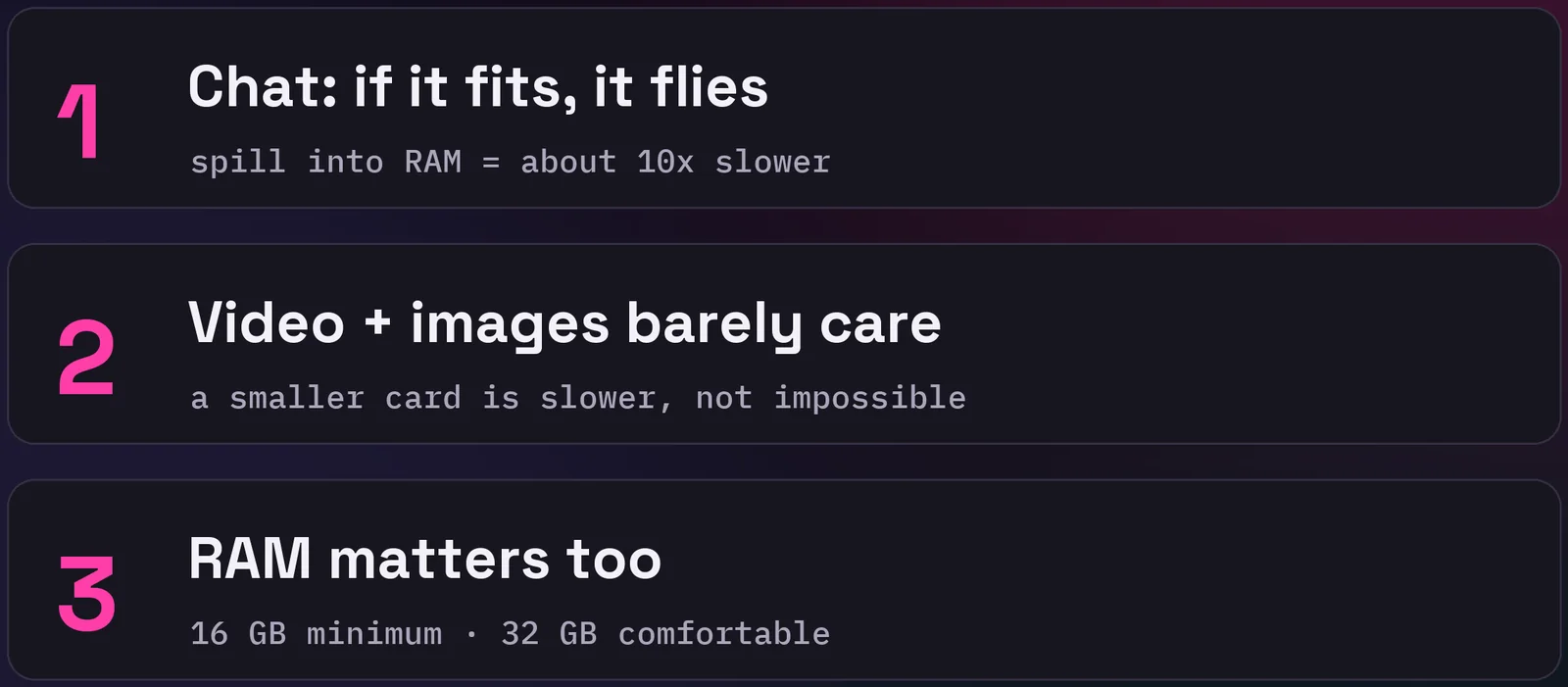
The same IQ3 file wrote 11 tokens/s with 30 layers in system RAM and 100.8 once it all fit, about nine times faster. If it fits, it flies; if part spills, it crawls. IQ3, Q4, Q6 and Q8 are quantisation levels: smaller files, a little less quality.
I timed them with llama.cpp b11900's llama-bench. Qwen3.8-27B is under Apache-2.0 and Nemotron 3.5 Bolt E4B under OpenMDW-1.1; read each licence before commercial use.
How much system RAM and disk space does local AI need?
For MiniMax H3 on a small card, 16 GB of RAM is the minimum and 32 GB is comfortable. Capped at 8 GB, H3's ComfyUI used 13 to 17.6 GB of RAM. H3's files alone take 51 GB of disk.
The real 3060 Ti PC has 16 GB of DDR4, enough with pinned memory off: ComfyUI held 11 to 14.7 GB and at least 4.3 GB stayed free. With pinned memory on, free RAM fell to 1 to 1.5 GB and it was no faster. Weights get read from disk, so keep your model folders on a fast NVMe drive.
How much VRAM should I buy for local AI in 2026?
Buy for what you run most: VRAM decides whether a model runs, the chip how fast. For images and voice, 8 GB was enough. For video, 8 GB works but the chip matters more. For chat, memory is everything: 12 GB fits a good 27B model, 24 GB fits it at Q6.
- Images and voice: 8 GB ran all three image models, Chatterbox and VoxCPM2; 24 GB adds the big voice clones.
- Video: capping my card at 8 GB cost H3 1.6 times; the 3060 Ti's slower chip cost 6.8 times.
- Chat: 12 GB for Qwen3.8-27B IQ3, 24 GB for Q6, 32 GB for Q8 or a chat model next to ComfyUI.
- RAM: 32 GB of system RAM, whatever the card.
That's what my tests show, not financial advice. New to ComfyUI? Start with the free Part 1 of ComfyUI From Zero.
Test setup and limits
- Main PC: RTX 5090 (32 GB), 96 GB RAM, Windows 11. Smaller sizes are this card under a ballast, never a real 12, 16 or 24 GB card.
- Real 8 GB PC: RTX 3060 Ti, Ryzen 5 5600X, 16 GB DDR4, Samsung 970 EVO Plus NVMe, Windows 11, int8 models only.
- MiniMax H3 under the ballast: 31 October 2026, Ultimate H3 0.15.1, one 6-second First/Last Frame chunk, six jobs per size. Real 3060 Ti: 1 November; the 8 GB settings: 2 November; single runs.
- Images, voice and chat: 6 November 2026, one prompt, one warm run per size (chat: two repetitions).
- Voice sizes other than VoxCPM2 come from my earlier voice-clone test on the full card.
- GPU memory figures are each job's peak, not the minimum a model needs.
- Not tested: real 12, 16 or 24 GB cards, AMD, Apple Silicon, GGUF versions of H3 (my attempt on the 3060 Ti failed before rendering), a SATA SSD or hard disk, the 2K finish above 12 GB, and image or chat models on the 3060 Ti.
Sources and files
- I Tested MiniMax H3 on Every VRAM Size From 8GB to 32GB, Plus Images, Voice and Chat in ComfyUI, the video: checking your VRAM at 0:38, how I tested at 0:55, 8 GB at 1:48, 12 GB at 3:54, 16 GB at 4:46, 24 GB at 5:08, 32 GB at 5:29, RAM and disk at 5:48 and how much VRAM to buy at 6:40.
- MiniMax: the MiniMax H3 model card. My workflow: Stubelius Ultimate H3 on GitHub.
- Black Forest Labs: the FLUX 3 Klein model card. Qwen: the Qwen-Image 2.1 Turbo model card.
- llama.cpp release b11900, whose
llama-benchtimed the chat models. - On this site: MiniMax H3 on an 8 GB RTX 3060 Ti, FLUX 3 Klein vs Qwen-Image 2.1, six free local voice clones, the Ultimate H3 modes timed and the ComfyUI From Zero course.
Common questions
Is 8 GB of VRAM enough for AI video in ComfyUI?
Yes, for MiniMax H3: a real 8 GB RTX 3060 Ti with 16 GB of RAM made a 6-second clip in 5:17, or 2:04 with PDMD, 0.5 MP and the H3 cache. Finishing to 2K in the same workflow ran out of memory at 8 GB.
Will a 16 GB card be as fast as the capped RTX 5090 numbers?
No. The capped numbers are an RTX 5090's chip with less memory free, and a real smaller card is slower. On the same MiniMax H3 clip, the 5090 capped at 8 GB took 72 s and a real RTX 3060 Ti 317 s.
Can I run a 27B chat model on 8 GB of VRAM?
Yes, slowly: Qwen3.8-27B IQ3_XXS ran with 35 of 65 layers on the GPU and wrote 11 tokens/s on my capped RTX 5090. At 12 GB it fit completely and wrote 100.8 tokens/s.
Do these models need a cloud service or a subscription?
No: every model here ran locally from files on my own disk, and Stubelius Ultimate H3 is free on GitHub. Each model has its own licence, such as Apache-2.0 for Qwen3.8-27B; read it before commercial use.
Does the picture change when MiniMax H3 runs with less VRAM?
No, not on the same card: at every cap from 8 to 24 GB, the RTX 5090 made a picture identical to its 32 GB render. The RTX 3060 Ti gave the same shot at 41.6 dB PSNR, almost but not exactly the same pixels.