STUUBZZZ
DLSS 5 vs RTX Video Super Resolution in ComfyUI: upscale times and keeping the colours
On one RTX 5090, RTX Video Super Resolution finished an 8-second clip at 1440p in 1:06 on MiniMax H3 output and in 0:11 on LTX 2.5 output. DLSS 5 plus my Color Lock step took 4:27 and 0:54, and DLSS 5 at node defaults cut the LAB chroma of a yellow jacket by 43% in one test frame.
- On an RTX 5090 (32 GB), RTX Video Super Resolution finished an 8-second MiniMax H3 clip at 1440p in 1:06 (2.8 GB VRAM peak). DLSS 5 + Color Lock took 4:27 (16.7 GB).
- On an RTX 5090, an 8-second LTX 2.5 clip (1280×704, 25 fps) finished at 1440p in 0:11 with RTX Video Super Resolution and in 0:54 with DLSS 5 + Color Lock.
- At ComfyUI-DLSS5-Enhancer node defaults, a DLSS 5 3x upscale lowered the LAB chroma of a yellow jacket from 28.2 to 16.0 (43% less) on one MiniMax H3 test frame, upscaled on an RTX 5090.
- Color Lock, a node in the free Stubelius Ultimate H3 and Stubelius Ultimate LTX 2.5 packs, takes low-pass luminance and both colour channels from the original frame and only the high-pass luminance (fine detail) from DLSS 5.
- In these ComfyUI workflows, finished frames sit in RAM as 32-bit float RGB, width × height × 12 bytes: about 100 MB per 4K frame.
Is DLSS 5 or RTX Video Super Resolution faster for AI video in ComfyUI?
RTX Video Super Resolution (RTX VSR), in both direct comparisons I have. At 1440p the DLSS 5 route took about 4 times as long on the MiniMax H3 clip and about 5 times as long on the LTX 2.5 clip.
Both tables are finish times from my free workflows, Stubelius Ultimate H3 and Stubelius Ultimate LTX 2.5, which run RTX VSR at quality ULTRA. The seed is already cached, so the clock covers the upscale, the fit to the exact size and saving the video. Peak VRAM is the whole card's used memory, polled with nvidia-smi about every 5 seconds, so a short spike can be missed. The size names are the short side: the 1440p finish of the 1280×704 LTX clip is 2616×1440.
| Final size | Upscaler | Finish time | Peak VRAM |
|---|---|---|---|
| 720p | RTX VSR | 0:24 | 3.0 GB |
| 1080p | RTX VSR | 0:53 | 3.0 GB |
| 1440p | RTX VSR | 1:06 | 2.8 GB |
| 1440p | DLSS 5 + Color Lock | 4:27 | 16.7 GB |
| 4K (2160p) | RTX VSR | 1:26 | 3.0 GB |
Tested 2026-09-25 on an RTX 5090 (32 GB), 96 GB RAM, Windows 11, ComfyUI 0.37.0. One clip, one seed, one run per row.
A different clip at the same Hybrid 1080p setting finished in 0:24, so read single rows as ballpark figures. Both runs are in the Ultimate H3 post.
| Final size | Upscaler | Finish time | Peak VRAM |
|---|---|---|---|
| 1080p | RTX VSR | 0:17 | 4.3 GB |
| 1440p | RTX VSR | 0:11 | 4.3 GB |
| 1440p | DLSS 5 + Color Lock | 0:54 | 28.2 GB |
| 4K (2160p) | RTX VSR | 0:24 | 4.5 GB |
Tested 2026-09-29 on an RTX 5090 (32 GB), 96 GB RAM, Windows 11, ComfyUI 0.37.0. Official Lightricks LTX 2.5 distilled checkpoint, 8 steps. One clip, one seed, one run per row.
The 1080p row was the first RTX VSR job in that queue, so I would not read a trend into it being slower than 1440p. Across seven LTX 2.5 prompts (eight 8-second finishes, six of them interpolated to 30 fps with RIFE first), DLSS 5 + Color Lock to 1440p took 0:54 to 1:25 and peaked at 28.0 to 29.4 GB. The H3 finishes are slower than the LTX ones and I have not isolated why, so compare rows inside a table, not across the two.
DLSS 5 only upscales by fixed factors (1.5x, 1.724x, 2x or 3x). From 704 to 1440 lines is 2.05x, so the workflow runs the 3x mode, which makes 3840×2112 frames, and scales the result down. The VRAM peak covers that pass, Color Lock (on the GPU, 16 frames per batch) and the final fit together.
How much colour does DLSS 5 lose at node defaults?
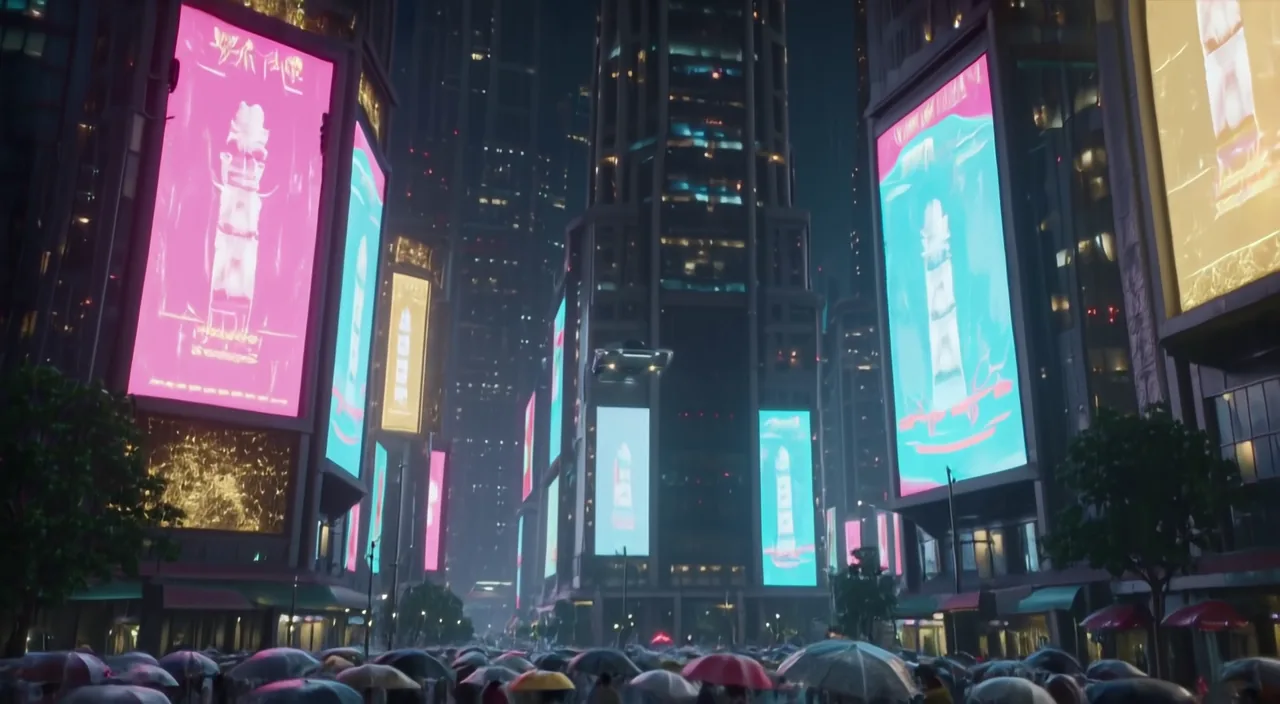
On my test clip, 43% of the chroma in one saturated region. I upscaled one MiniMax H3 clip (864×480, 24 fps, 124 frames) 3x to 2592×1440, once with RTX VSR at quality ULTRA and once with DLSS 5 in 3x (Ultra Performance) with every other DLSS5 Settings widget at its default. Then I averaged the LAB values over a 450×400 pixel crop of a yellow jacket in the frame at 3.5 seconds.
| Version | L | a | b | Chroma |
|---|---|---|---|---|
| Source, enlarged with Lanczos | 28.9 | 5.9 | 27.6 | 28.2 |
| RTX VSR 3x | 28.1 | 5.3 | 26.1 | 26.6 |
| DLSS 5 3x, node defaults | 27.4 | 3.9 | 15.5 | 16.0 |
| DLSS 5 + detail transfer (prototype of the Color Lock method) | 28.5 | 5.9 | 27.4 | 28.1 |
| DLSS 5 + Reinhard match | 27.4 | 5.2 | 27.7 | 28.2 |
Tested 2026-09-23 on an RTX 5090 (32 GB), 96 GB RAM, Windows 11, ComfyUI 0.37.0. One clip, one frame, one crop. The last two rows are fixes prototyped on the still.
Lightness barely moved. The yellow-blue channel (b) fell from 27.6 to 15.5, which is the washed-out look. RTX VSR's 6% gap is too small to read anything into, and one crop of one frame shows a direction, not a general figure for DLSS 5.
On detail, my verdict is by eye at 100% zoom on this one clip: DLSS 5 rebuilds more fine detail than RTX VSR. I am not putting a sharpness score on that. The DLSS5-Enhancer README reports overall detail energy going down as generator noise disappears, while skin, hair and fabric gain structure, so such a score would mislead.
How do you keep the original colours with DLSS 5?
Two routes: DLSS 5's own node settings, or Color Lock after DLSS 5, which takes colour and tone from the original frames. Of the two, only the Color Lock method is measured here, on one still.
Node settings. local_tone_strength (default 1.00) is DLSS 5's local tone mapping, and the README describes nr_style Natural as staying closer to the source.
Color Lock. The step in both workflows runs after DLSS 5 and needs no tuning per clip:
- Resize the original frames to the DLSS 5 size and convert both versions to LAB.
- New luminance: the Gaussian blur of the original L, plus the DLSS 5 L minus its own blur.
- Copy a and b, the two colour channels, from the original.
The blur radius is detail_radius times the upscale factor, so the default 1.0 means one source pixel. Whatever DLSS 5 did to colour or broad lighting is thrown away, wanted or not. Prototyped with OpenCV on the still, the method measured 28.1 against the source's 28.2. That checks the method on a PNG still, not a finished, encoded video. A global Reinhard match also reached 28.2 on the jacket (the row above). I went with Color Lock.
In the workflows, pick DLSS5 + Color Lock on the Output node. Finish runs DLSS 5 at node defaults, then Color Lock. Color Lock is also a separate node that takes the enhanced and reference frames, which need the same frame count.
Requirements
- RTX VSR: an NVIDIA RTX GPU and Comfy-Org's Nvidia RTX nodes (search "RTX" in ComfyUI Manager). The node's multiplier goes up to 4x, and my workflows split anything larger into two passes.
- DLSS 5: ComfyUI-DLSS5-Enhancer by Blueforcer, Windows only. Its README says NVIDIA ships DLSS 5 for the RTX 50 series, the community runtime also runs on RTX 40 and 30, and RTX 20 and older are refused.
- DLSS 5 runtime: a separate download of about 467 MB from Merserk's DLSS 5 Visual Enhancer, installed with the pack's
install_runtime.py. The README warns that antivirus tools may block the worker and that HDR is converted to 8-bit SDR. Read its licensing section first: the runtime holds NVIDIA, ReShade and RenoDX components under their own terms. - Color Lock: in both Ultimate packs (Stubelius Ultimate H3 and Stubelius Ultimate LTX 2.5). It uses kornia, which ComfyUI already requires.
- Hardware: every number here is from one RTX 5090. I have no data for other cards.
cd ComfyUI/custom_nodes
git clone https://github.com/stuubszzz/Stubelius-Ultimate-H3
git clone https://github.com/stuubszzz/Stubelius-Ultimate-LTX2.5.git
Each README lists the other node packs and the model files its workflow needs. On Windows portable the H3 pack also has one pip requirement; the command is in the Ultimate H3 post.
How much RAM do the upscaled frames need?
About 100 MB of RAM per 4K frame, 44.2 MB per 1440p frame and 24.9 MB per 1080p frame. Finished frames are held uncompressed as 32-bit float RGB, so each one costs width × height × 12 bytes.
| Frame size | Per frame | 10 seconds at 60 fps (600 frames) |
|---|---|---|
| 1920×1080 | 24.9 MB | 14.9 GB |
| 2560×1440 | 44.2 MB | 26.5 GB |
| 3840×2160 | 99.5 MB | 59.7 GB |
Finish logs a warning when the frames alone would need more than 60% of the machine's RAM. With DLSS 5 the intermediate is larger than the result: the 3x pass on a 1280×704 clip makes 3840×2112 frames, 97.3 MB each, before the fit down to 1440p. The DLSS5-Enhancer images node, which my workflows use, allocates the whole output batch up front, so keep 4K clips short.
Sources and files
- ComfyUI-DLSS5-Enhancer by Blueforcer: the DLSS 5 nodes, settings and requirements.
- DLSS 5 Visual Enhancer by Merserk: the runtime that node pack drives.
- Nvidia RTX nodes by Comfy-Org: the RTX Video Super Resolution node.
- ComfyUI-Frame-Interpolation by Fannovel16: RIFE, used for the 30 fps finishes.
- Stubelius Ultimate H3 and Stubelius Ultimate LTX 2.5: the two free workflows, with the Color Lock source.
- Model cards: MiniMax H3 and LTX 2.5.
- Video: the upscaler chapter at 15:49 of the Ultimate MiniMax H3 workflow video.
- On this site: the Stubelius Ultimate H3 workflow and the Stubelius Ultimate LTX 2.5 workflow.
Common questions
Does DLSS 5 run in ComfyUI on an RTX 40 or RTX 30 card?
According to the ComfyUI-DLSS5-Enhancer README, yes: its community runtime also runs on RTX 40 and 30, RTX 20 and older are refused, and it is Windows only. I have only tested an RTX 5090, so I have no timings for other cards.
How long does RTX Video Super Resolution take to upscale an 8-second clip to 4K?
On an RTX 5090 the 4K finish took 1:26 for a MiniMax H3 clip (24 fps, about 540p native) and 0:24 for an LTX 2.5 clip (25 fps, 1280×704 native), with VRAM peaks of 3.0 GB and 4.5 GB. That is one run of one clip each, including saving the video.
Do I still need Color Lock if I set local_tone_strength to 0?
I have no published measurement for that setting. local_tone_strength (default 1.00) is DLSS 5's local tone mapping, and the README describes nr_style Natural as staying closer to the source. Color Lock does not depend on settings: it copies both colour channels and the low-pass luminance from the original frame, whatever the enhancer did.